
Mark a match and let the court follow the score
Mark a match on your phone, turn it sideways, and let people follow it on Match commentary. Come on a player, and keep a rude name off the court.
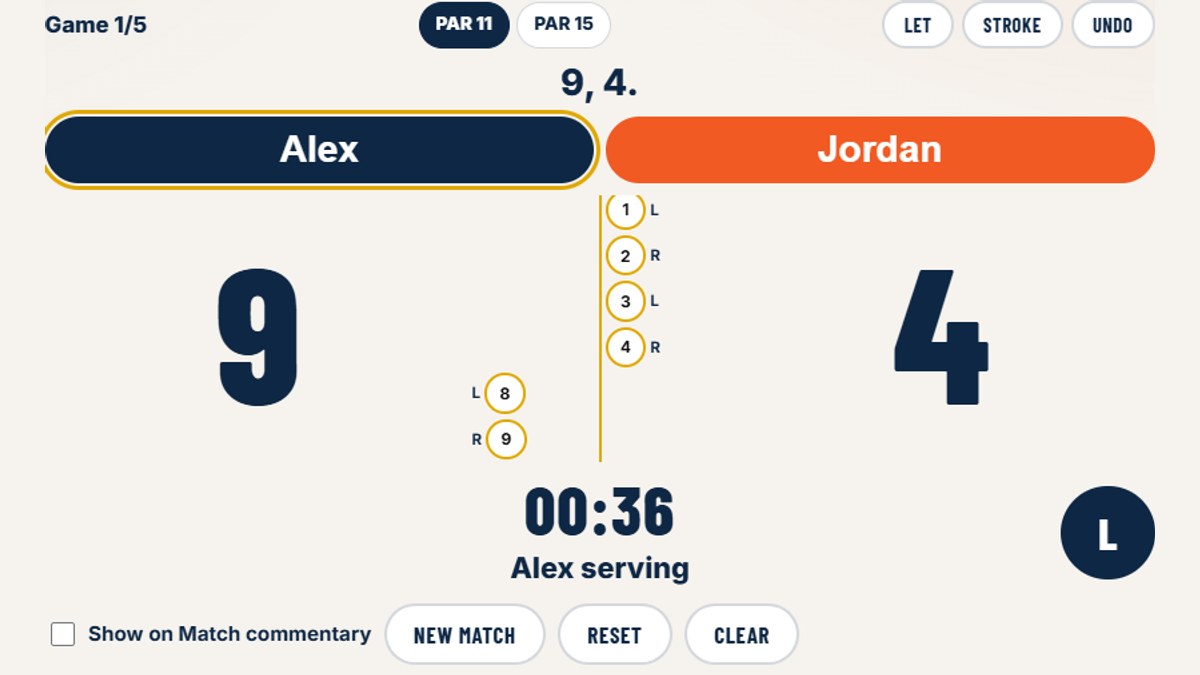
You can mark a squash match on Beds Squash, and other people can follow the score.
Sign in and open Mark a match from My Squash. Choose the two players, then PAR 11 or PAR 15. PAR 15 is the game the second division plays. Both are win by two, best of five. Tap the player who won the rally. A let is played again. A stroke gives that player the point.
A name that is not fit for the court is stopped on Player A and on Player B as you type. The box goes red, and the referee has a line for it, the same sort of call the minigame uses. An admin can stop any other word under Administration, on Marking.
Turn the phone on its side and mirror the screen. The names and the score fill the display, so people at the court can read it.
Show on Match commentary starts ticked, so the match is listed on Match commentary. The page says the score the way a marker would. On the marking screen, Say it out loud reads that same call.
Someone who is signed in can send a reaction, or Come on for either player, and hear that line spoken back. The marker can open Watching and see who is following, with the reactions they have sent.
Subscribe on ntfy if you want a note when a match goes on. The topic is beds_commentary_1234. Points are not sent. The same link sits on the commentary page, with the matches.
The picture is the marking screen on Beds Squash. Alex and Jordan are there to show the page. The match stays on the site for an admin to check. It is not sent to Sport Manager.